Dynamic Timetable
approvedby l7cy
Calculate the estimated time of completion from the estimated time of the task and dynamically create a timetable.
Obsidian Dynamic Timetable
Dynamic Timetable is an Obsidian plugin that dynamically generates task timetables from Markdown files. This plugin was inspired by タスクシュート(TaskChute).
Installation
The plugin is now officially released as a community plugin. You can install it from below.
obsidian://show-plugin?id=dynamic-timetable
If you want to try the beta version, install it with L7Cy/obsidian-dynamic-timetable using BRAT.
Usage
Task description format
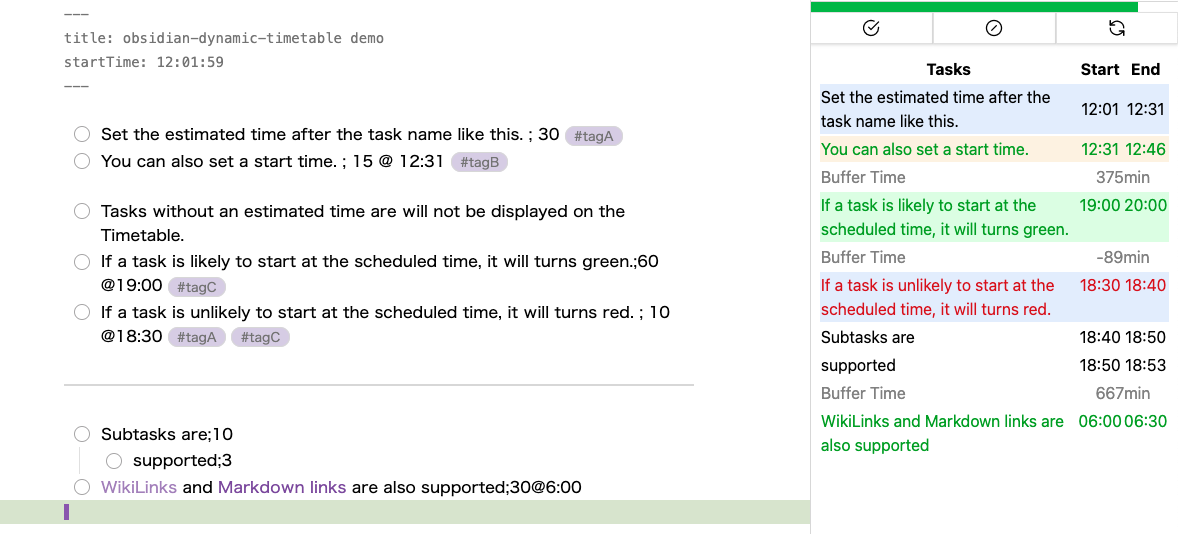
The plugin supports the following markdown formats for tasks.
- [ ] Task name ; Estimated time
- [ ] Task name ; Estimated time @ Start time
- [ ] Task name @ Start time ; Estimated time
Start time format
The start time is optional and can be added in two formats:
- Time only (e.g.,
@ 14:30) - Date and time (e.g.,
@ 2023-04-16T14:30)
Task completion and interruption
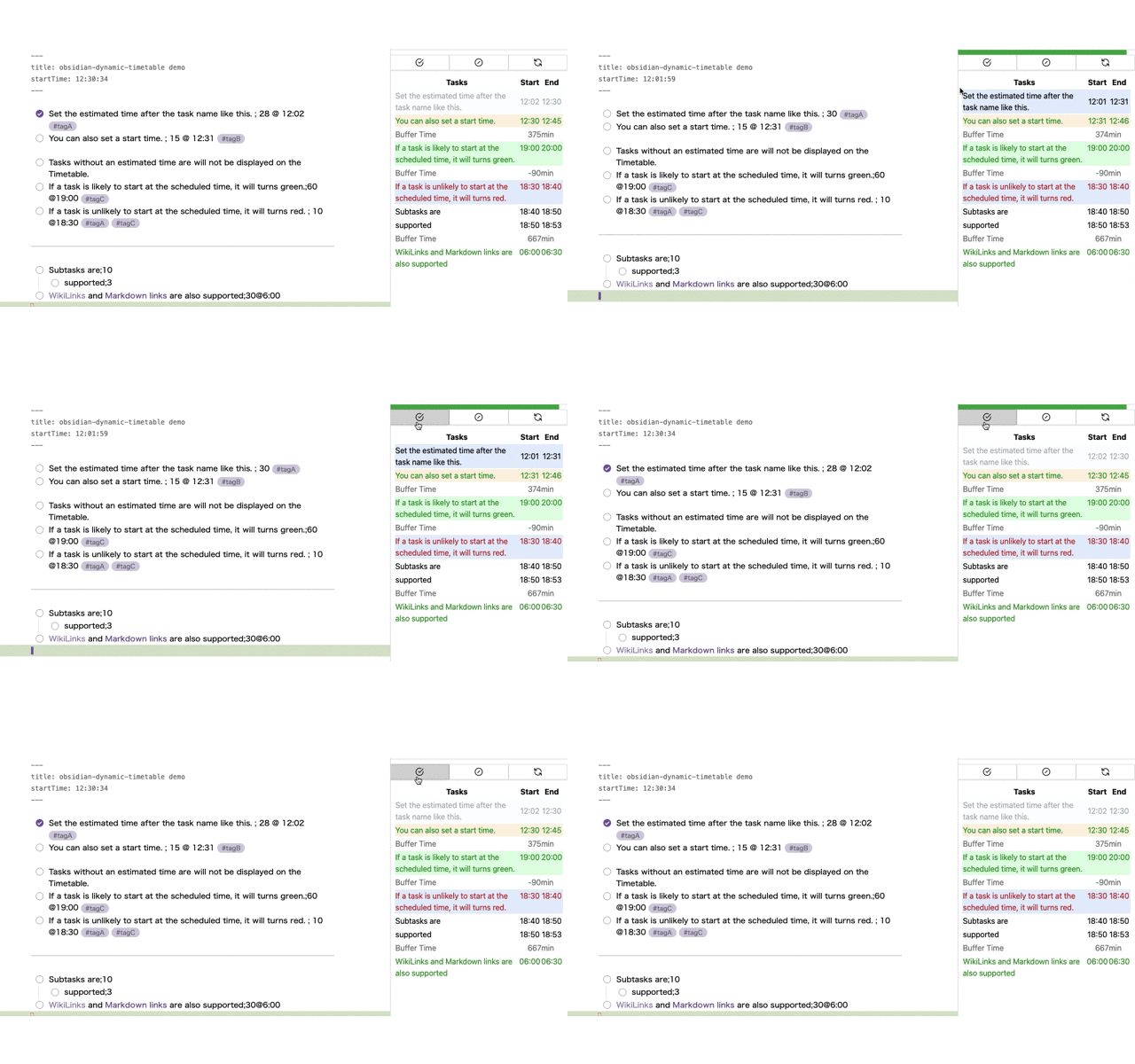
To complete or interrupt a task, execute the commands "Complete Task" or "Interrupt Task." Upon execution, the topmost incomplete task is checked, and the estimated time and scheduled start time are overwritten with the actual time taken and actual start time.
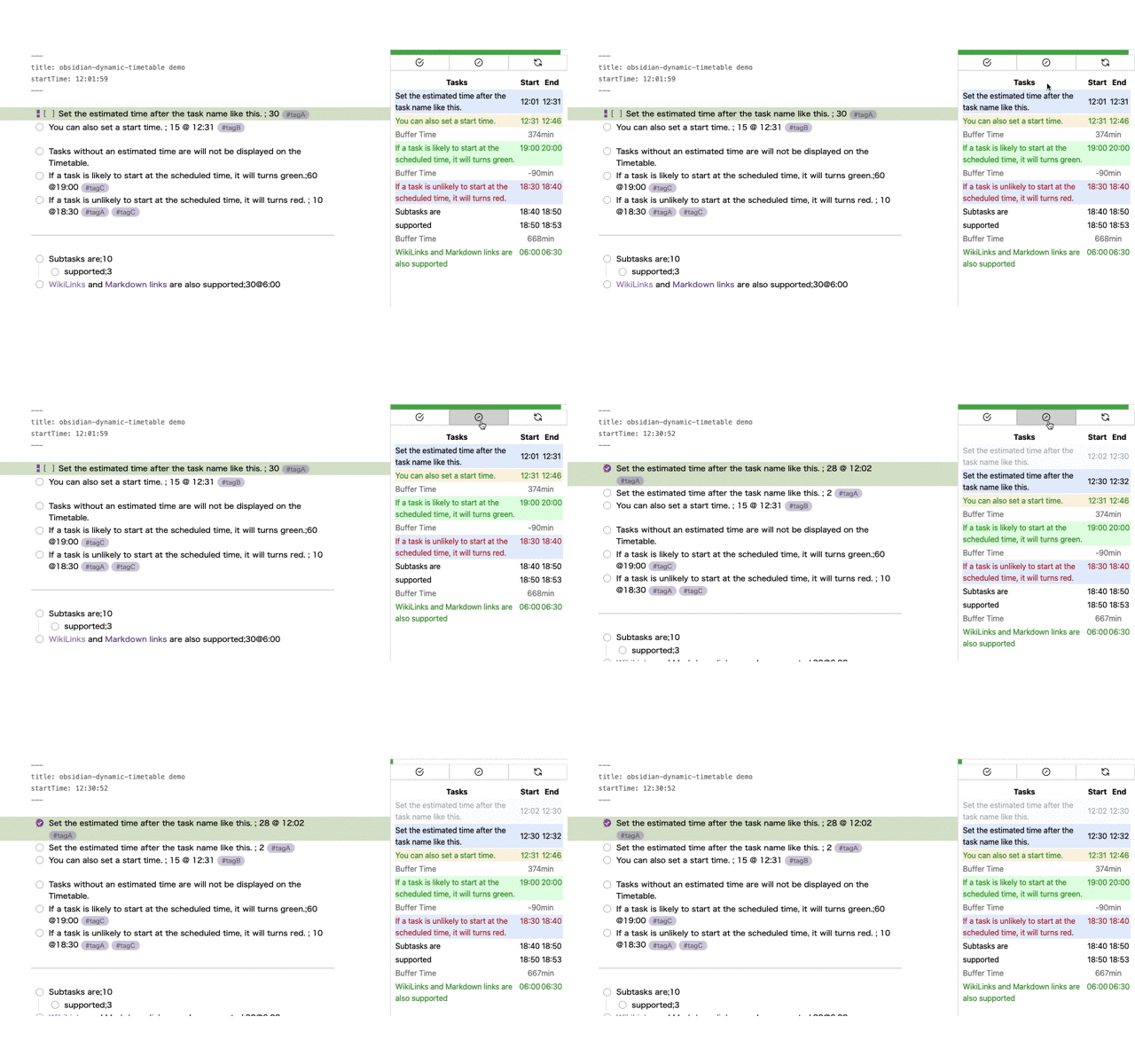
In the case of "Interrupt Task," in addition to this, a new task with the same name is created and the remaining time is set to the estimated time.
Task text color
When a start time is specified, tasks will have a text color based on the comparison with the end time of the previous task:
- 🟢Green: Indicates that the task is likely to start at the scheduled time, and there may be room to add more tasks before it.
- 🔴Red: Indicates that it may be difficult to start the task at the scheduled time, and adjustments to previous tasks may be necessary.
This visual cue helps us understand how to effectively adjust our tasks.
For plugin developers
Search results and similarity scores are powered by semantic analysis of your plugin's README. If your plugin isn't appearing for searches you'd expect, try updating your README to clearly describe your plugin's purpose, features, and use cases.