FlyMind
approvedby fairyang
A Markdown mind map and mindmap plugin that converts notes into interactive, collapsible mind maps with split preview, same-tab switching, draggable nodes, scrolling details, and zoom controls. - This plugin has not been manually reviewed by Obsidian staff.
FlyMind
夜深了,别人都下班休息,我还在电脑前坚守。看着别人热热闹闹,我这边安安静静,生活的压力压得喘不过气。如果你刚好刷到,愿意给我一点小小的支持,就是照亮我黑夜的光。
我没有光鲜的背景,也不会花哨的套路,每天守着屏幕等有人停留。生活过得紧巴巴,就盼着大家一点点善意,帮我熬过这段难捱的日子,感恩每一位愿意伸手的好心人。
☕️☕️给我买杯咖啡☕️☕️
【微信 · zionboy】
【支付宝 · bitmoney@139.com】
【加密货币 · 0xE89eA2cE81EC0e796B3BbE1877cCfde8DF117894】
It’s late. Others have gone home, but I’m still at my computer. Everyone else seems surrounded by noise and company; mine is quiet, and the pressure is hard to breathe through. If you happened to stop here and can offer a little support, it would be a small light in a very long night.
I don’t have a polished background or clever tricks. I sit by the screen each day, hoping someone will stay. Life is tight, and I’m counting on small acts of kindness to help me through this difficult stretch. Thank you for reaching out.
☕️☕️Buy me a coffee☕️☕️
【WeChat · zionboy】
【Alipay · bitmoney@139.com】
【Crypto · 0xE89eA2cE81EC0e796B3BbE1877cCfde8DF117894】
English
Features
-
Same-tab switching: click the brain button to switch between Markdown and a mind map in the same tab.
-
Split preview: open a separate preview with the Split button. Choose side-by-side or stacked panes in settings; saved Markdown changes refresh the preview automatically.
-
Heading hierarchy: the filename is the root. Markdown headings form branches; paragraphs, quotes, lists, tables and code stay in their corresponding node's body.
-
Two map directions: switch between horizontal (left to right) and vertical (top to bottom) using the header or ⋯ menu, independently of pane placement.
-
Summary or scrolling content: by default, nodes show up to 140 characters across four lines. Enable 节点内滚动 in settings or the ⋯ menu to show full content with scrolling above 360px in height.
-
Right-side details: click a node title to read its full formatted content in a scrollable panel. Click another title to switch content; close with × or by clicking blank canvas. Available in both content modes.
-
Independent folding: circled plus/minus buttons fold node bodies; connection endpoints fold branches. The header also offers one-click folding or expansion of all bodies, preserving the current zoom.
-
☕️☕️Buy me a coffee☕️☕️
【Crypto · 0xE89eA2cE81EC0e796B3BbE1877cCfde8DF117894】
- Drag and arrange: drag nodes to reposition them; connectors follow. Click 自动 to restore automatic arrangement.
- Header controls: zoom around the visible center, view the zoom percentage, fit the map and toggle all bodies directly from the top action bar.
- Pin and copy: use ⋯ → 固定当前笔记预览 in a separate preview to keep the current note instead of following file switches. ⋯ → 复制导图截图 copies the visible map as a PNG image.
Maintained by fairyang, based on James Lynch's Obsidian Mind Map and Markmap. MIT License.
中文
功能简介
-
同标签切换: 点击大脑按钮,在当前标签内切换 Markdown 与思维导图。
-
分屏预览: 点击 Split 按钮打开独立预览;设置中可选择左右并排或上下排列,源 Markdown 保存修改后自动刷新预览。
-
标题层级: 文件名作为根节点,Markdown 标题形成分类分支;段落、引用、列表、表格和代码归入对应节点的正文。
-
两种导图方向: 通过顶部按钮或 ⋯ 菜单切换水平(从左到右)与垂直(从上到下)布局,与分屏位置独立。
-
摘要/滚动正文: 默认最多显示 140 个字符、4 行摘要;在设置或 ⋯ 菜单开启节点内滚动后显示完整正文,超过 360px 高度时滚动阅读。
-
☕️☕️给我买杯咖啡☕️☕️
【微信 · zionboy】
【支付宝 · bitmoney@139.com】
【加密货币 · 0xE89eA2cE81EC0e796B3BbE1877cCfde8DF117894】
- 右侧详情: 点击节点标题打开完整格式的正文面板,内容过长可滚动;点击其他标题切换内容,点击 × 或画布空白处关闭。两种正文模式都支持详情。
- 独立折叠: 圆圈加减号控制正文,连线端点控制分支;顶部按钮可一键展开/折叠全部正文,保持当前缩放倍数。
- 自由拖动与自动排列: 拖动节点调整位置,连线同步移动;点击自动恢复默认排列。
- 顶部操作栏: 直接缩放当前可视区域、查看比例、适配导图,以及一键展开/折叠正文。
- 固定预览与截图: 独立预览中通过 ⋯ → 固定当前笔记预览 锁定当前笔记,不跟随文件切换;通过 ⋯ → 复制导图截图 将当前可见导图复制为 PNG 图片。
由 fairyang 维护,基于 James Lynch 的 Obsidian Mind Map 与 Markmap,采用 MIT 许可证。
预览效果 / Preview
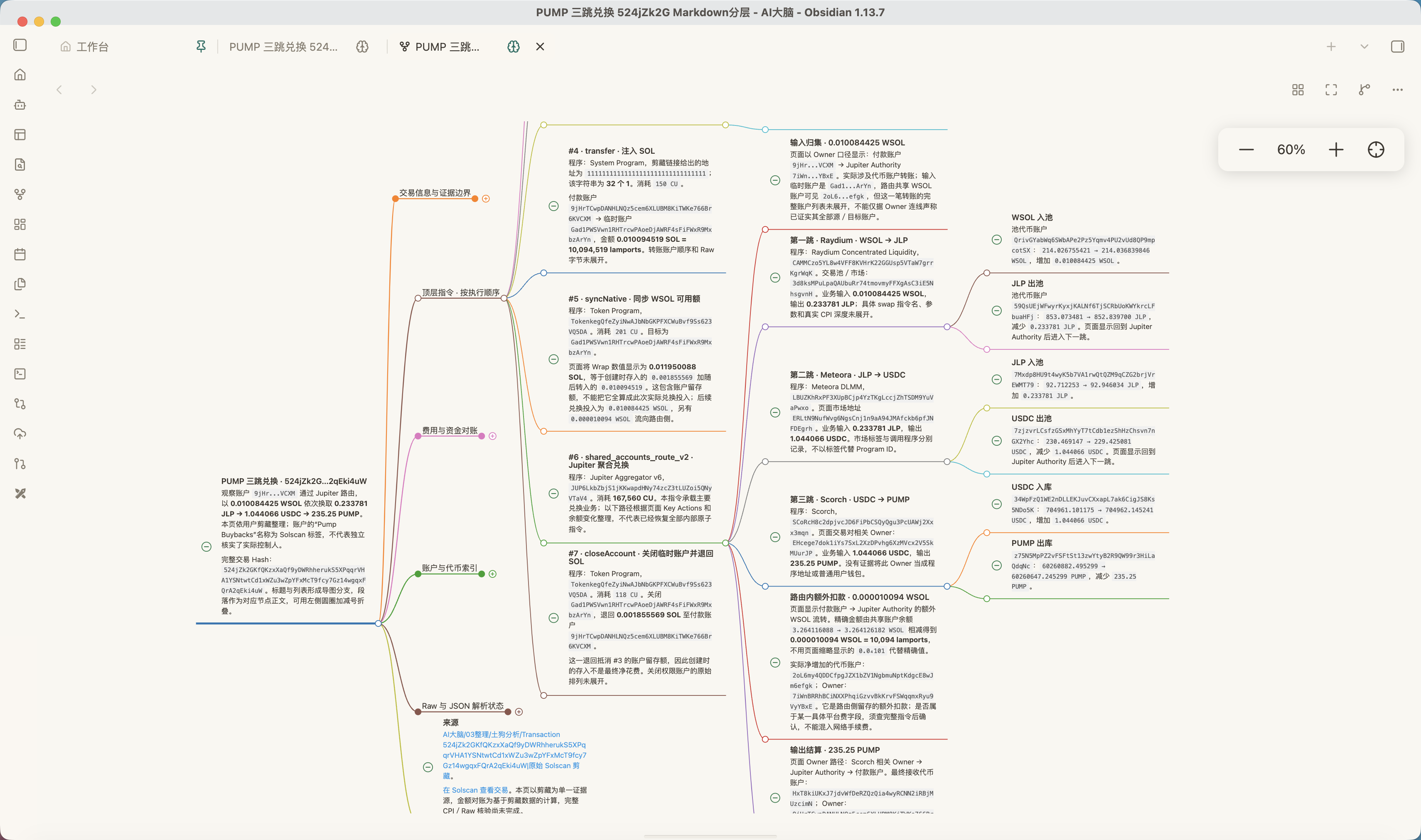
水平布局,支持折叠正文(Horizontal layout with collapsible content)
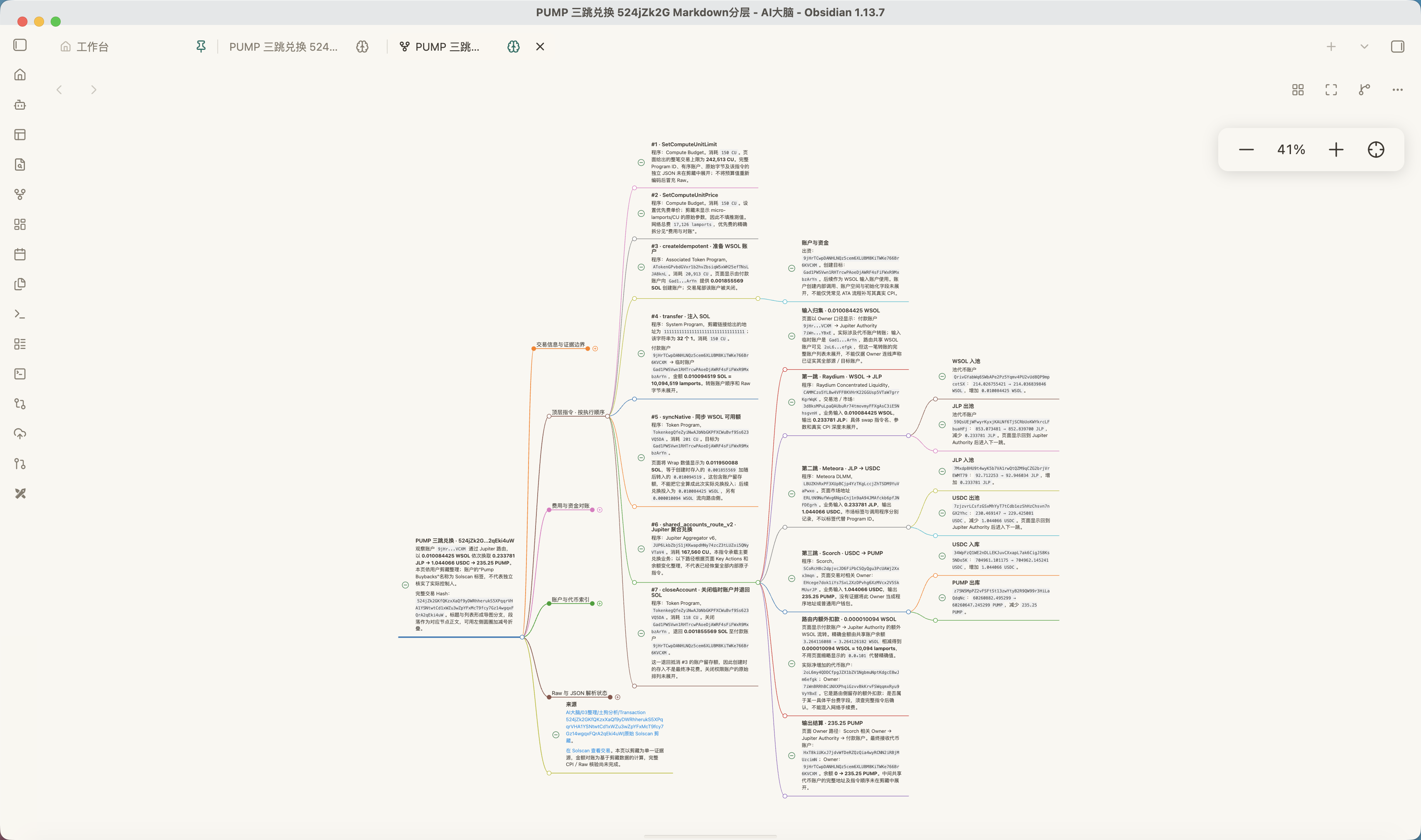
缩小查看完整导图(Zoom out to see the full map)
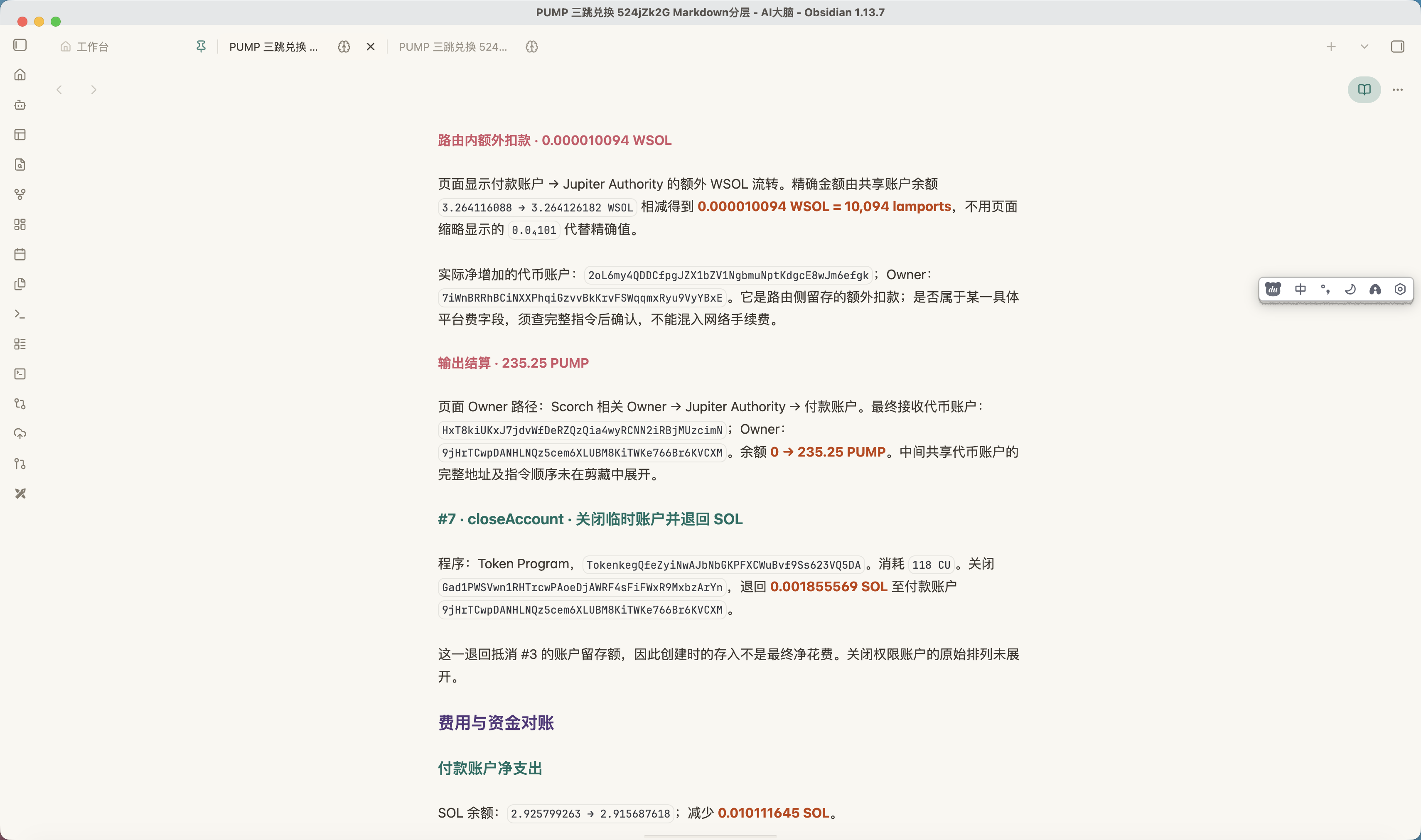
点击大脑图标返回 Markdown(Click the brain icon to return to Markdown)
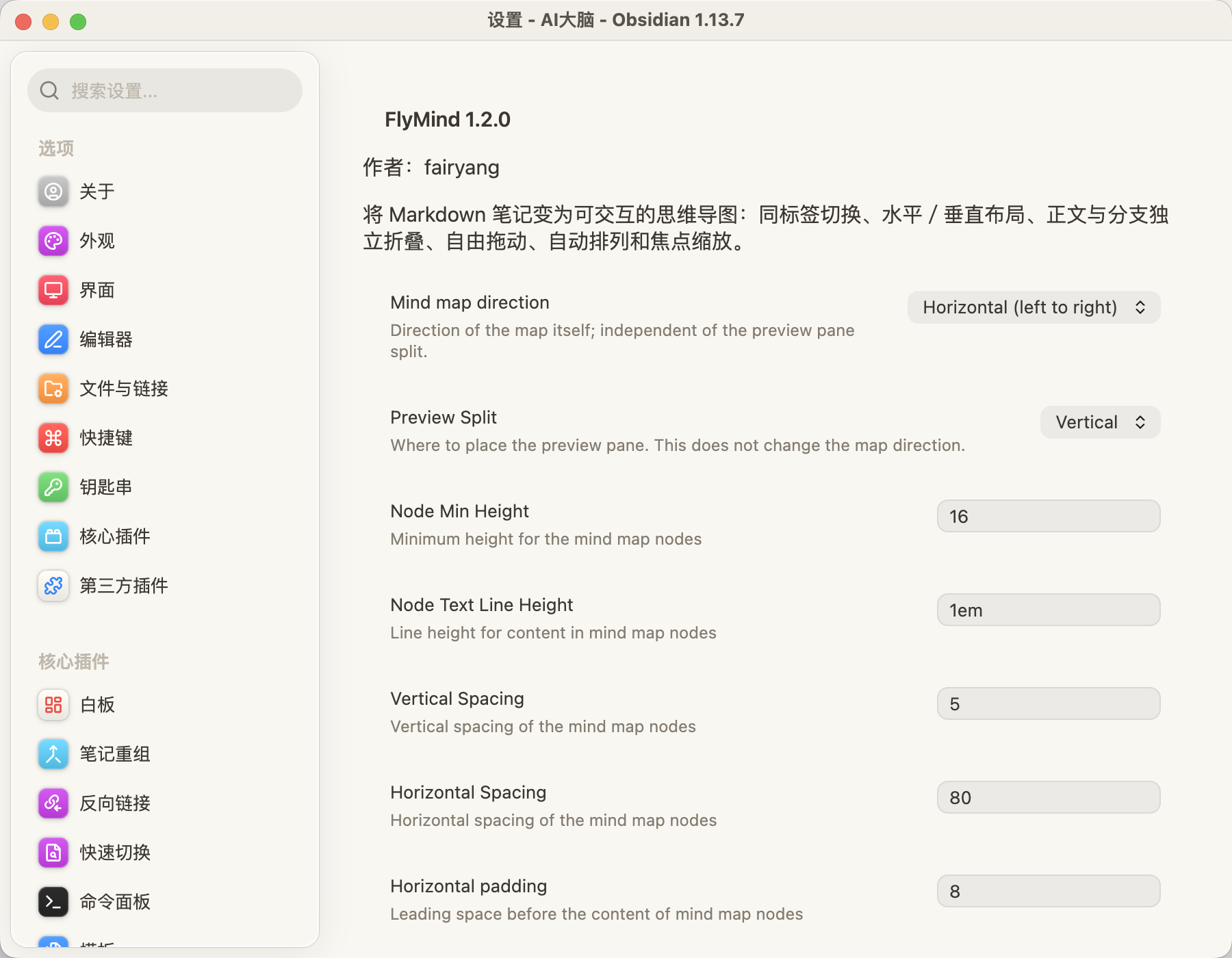
调整布局、间距和行高。截图中的分屏标签为旧版(Adjust layout, spacing and line height. This screenshot shows earlier split labels)
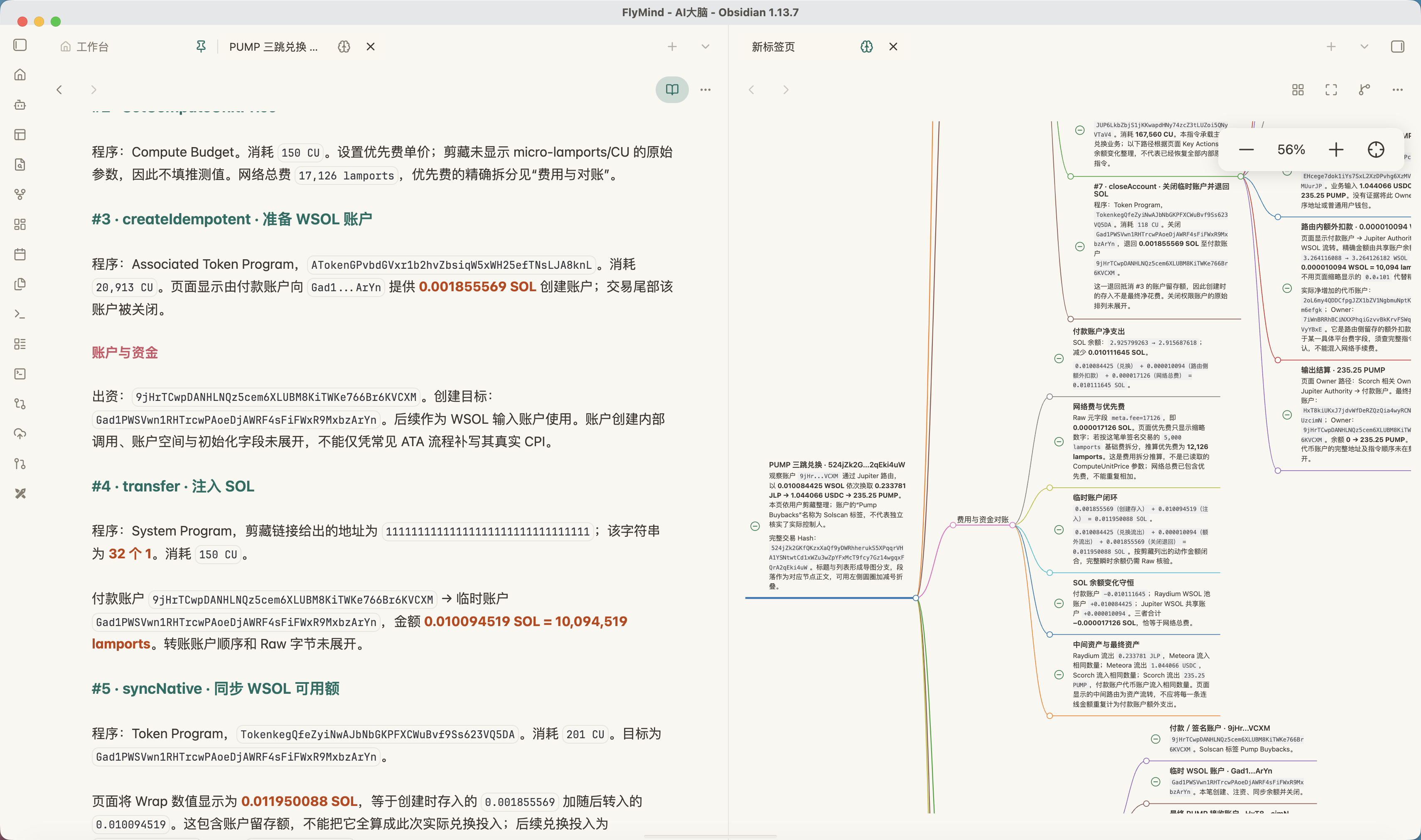
并排查看 Markdown 与导图(View Markdown and the mind map side by side)
艰难度日,小额打赏即可,万分感谢。
☕️☕️给我买杯咖啡☕️☕️
【微信 · zionboy】
【支付宝 · bitmoney@139.com】
【加密货币 · 0xE89eA2cE81EC0e796B3BbE1877cCfde8DF117894】
Just scraping by. Any small tip is greatly appreciated.
☕️☕️Buy me a coffee☕️☕️
【WeChat · zionboy】
【Alipay · bitmoney@139.com】
【Crypto · 0xE89eA2cE81EC0e796B3BbE1877cCfde8DF117894】
For plugin developers
Search results and similarity scores are powered by semantic analysis of your plugin's README. If your plugin isn't appearing for searches you'd expect, try updating your README to clearly describe your plugin's purpose, features, and use cases.